A new kind of Professional Development Series for Teachers- Part 3

2 hours and 15 minutes after I finished the Boot Camp with new teachers in Dublin Unified, I moved onto the next professional development offering for all teachers to occur on August 24. A survey had been given to teachers in the spring, asking them to choose what type of professional development would be most meaningful for them as a group prior to the school year beginning. Overwhelmingly, technology was a focal point.

The data was mined and teachers went off for the summer. We had a number of administrative changes occur between June and August that impacted planning. I began by reaching out to the internal teachers that had been targeted as rockstars and slotted for sessions as presenters.  I asked them to set aside the date and gave them a topic. I also told them we would begin planning on August 4. And that was as much information as I provided them.

Fast forward to August 4, all of us met in a Google Hangout at 5 PM to discuss logistics, deliverables, and our goals as a team. I gave the teachers complete autonomy to build their sessions from their perspective as classroom teachers.

We held one more planning meeting via another Google Hangout, conducted final planning via email, and all teachers were asked to solicit slidedecks to a Google site that I had created. It’s modeled much after the CUE Rockstar theme where teachers can go after sessions end and still access content as needed as well as view all content from other sessions that may be occurring simultaneously that day.

As I like to, I threw an additional wrench into the formula. Our one high school in our district of 10,000 students has the most beautiful student union with gorgeous tall windows and a lot of steel. I had a vision of many teachers attending professional development in this building on the topic of Google Classroom.


Here’s approximately 200 teachers attempting to access Wi-Fi all at the same time following a rather large email migration that required they reestablish their logins on the network. Many had only reopened their laptops after having been gone for two months, and we changed the WIFI access codes! Was I crazy? You bet.

A 45 minute delay in the first session meant two thirds of the teachers could not access Google Classroom. The presenter, Kathy Proctor, a fifth-grade teacher at Amador elementary, handled it like a pro. She kept them going, had them team up, and dive in.  The second session, led by A.J. Oliveira from Wells middle school went off without a hitch.

We held approximately 11 other sessions with a focus on Google APPS, Hyperdocs, and flipped classrooms. Infinite campus gradebook was also offered to roughly 100 teachers in our library. Every session felt the same pain with the 45 minute delay, every second session was successful.

To continue the learning for the presenters and the attendees, I created a Google classroom called Dublin Unified Professional Development. The goal of this classroom is to allow teachers to be students with their presenters from August 24 and learn about what their students will experience when they are the teachers in the room in Google Classroom ( Note: there is no real room in Google Classroom).


Here’s my big takeaway– there is no gain without risk. End of story.

A new kind of Professional Development for Teachers Series: Part 2

Here’s my share out after Dublin Unified had its new teacher Boot Camp. Over three days approximately 50 of the 70 new teachers in Dublin Unified came to a boot camp that was offered to them and they were not paid for their time. They arrived enthused and ready to learn. A day and a half into the boot camp, they were turned over to the technology services department for the remaining day and a half of professional development. As you read in part one, we chose to do things just a bit different. IMG_0759Teachers had an opportunity to check out new laptops and do the regular required paperwork. They were asked to log into the computers so we could verify they knew how to also log into Google and that began their journey with Technology Services. Once they arrived back at the Board room, they were met with a personalization station to decorate their laptops with stickers that were meaningful to them promoting positive sayings as the students will be looking at those laptops all year long in class. I giggled as I saw many teachers stare at me in dismay as I encouraged them to deface their laptop cases with stickers. I knew right there that was a foreign concept to many of the new and veteran teachers alike. Once they decorated their laptops, they were encouraged to go to the green screen station and create fun images that could be added to their webpage, Google profile, and or just for fun in their first agenda. The staff in this image are our Superintendent and the Assistant Superintendent of Educational Services (the new teachers loved seeing them! & the green screen APP master is my soon to be freshman!).  

Day one ended with an exit ticket requirement I had that they have one page of their website built with contact information and a photo so that parents knew how to get a hold of them as early as days before the first day of school.

Day two began in the student union at our one high school in Dublin Unified.  Teachers were taken through an adventure game that led them to an opportunity to work in teams for the next two hours on one deliverable due at the end of the morning session.  The exit ticket for the morning session was the first day agenda, some teachers opted to do Google forms and getting ready for back-to-school night, other teachers begin working on their classroom website. All in all, it felt like a very productive morning and we received many compliments from Directors.  Teachers shared that they really enjoyed the space and time to work, network, and focus on one deliverable due mid morning. During their hour-long lunch, many teacher stayed around for Twitter 101. I walked them through the value of Twitter as a PLN and encouraged them to create accounts even if they intended to only lurk on Twitter. I sang praises for the value of Twitter as an ongoing PD and networking tool that they can tap into for themselves and in classrooms with their students throughout the school year. IMG_0760

The afternoon sessions were hands-on and by the end of the sessions teachers got a chance to do even more work in systems that they would be using on a regular basis and would need exposure to.  In addition, they had exit tickets to have certain elements of those program set up prior to leaving for the day.

The same model is how we will conduct our first August PD for staff prior to the school year. Stay tuned for the next post that will outline the menu of items that will be available to teachers to pick and choose sessions throughout the day based on their individual needs.

IMG_0763 IMG_0762 IMG_0761

A new kind of Professional Development for Teachers Series: Part 1

On August 11, for New Teacher Boot Camp in Dublin CA, 100 teachers will pick up their laptops, sign in to network with new login and password, and listen, listen, listen, as IT department tells them how to navigate WIN 8.1 for reading email, opening PowerPoint, etc.  WAIT, scratch that, rewind, that’s what we did in 2014 and every year prior in Education Technology.

Meet 2015 in Dublin, CA: 100 teachers will get laptops, but that is the only similarity. Here’s our agenda in the Technology Services Department:

  1. Check out laptop
  2. Sign into Google for Education Apps (GAFE)
  3. Personalize your laptop with stickers with positive themes!
  4. stop by the “What is my teacher super power?” green screen movie photobooth
  5. Build your skeleton website with contact information

So; how does that sound? #welcometomyhouse

Resources for ways to use green screen, video creation, or animation in classrooms (more to come….):

ISTE: Engage elementary students with stop animation! with step by step instructions for how to do this in your classroom

25 Free Green Screen resources

My First CUE Rock Star Camp

CUE_ROCK_STAR_COMBINED_BANNER_RGB_0In the late winter of 2014, Joe Wood invited me to attend Lake Tahoe CUE Rock Star Camp as a faculty member. Around that same time, Joe and I completed our Chief Technology Mentor program with CETPA and had just received our award letters. I was preparing to transition from a position in West Contra Costa Unified School District as a Business Specialist on special assignment and begin a new position that January with Dublin Unified School District as their first-ever Chief Technology Officer.
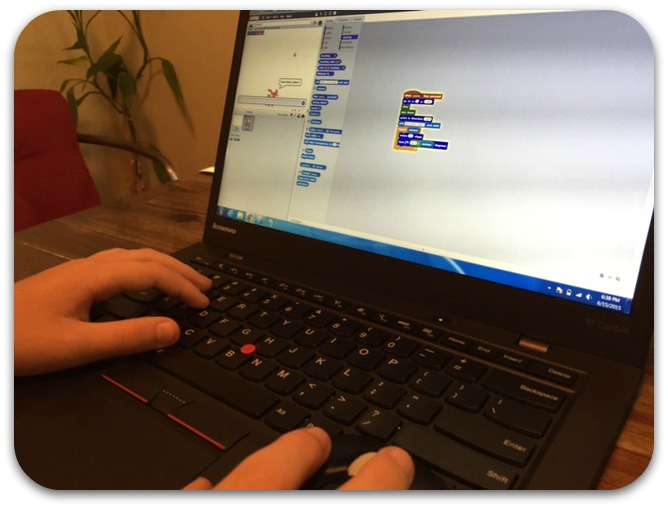
I accepted and felt like “Why not jump in and attempt to do something new?” I have been delivering professional development for corporations and school districts for the last 17 years. I have written curriculum, designed interfaces, and have trained staff on a variety of topics related to technology. I spent approximately 4 to 5 months researching, refining and preparing what would become a few slides and a slide deck and one document per day on topics that I chose. More important than my getting to choose my own topics to present was the opportunity I created for my 10-year-old son and I to co-teach on a topic that we are both very passionate about: coding. He created three math Scratch projects that we would deliver together in our sessions on day two.
As CUE Rock Star Lake Tahoe came closer, my son and I both found ourselves excited and nervous at the same time. We arrived in Lake Tahoe in the summer of 2015 on a Sunday afternoon and attended a barbecue for Rock Star faculty. At the barbecue, Bryce instantly made friends with some of the adults who were my peers and who would be presenting with me for the next several days. I knew instantly that we had made a great choice together! The topics I covered over the three days are below and you can see all of our resources and projects. What I most enjoyed about the experience was the time with my son in an environment where he could see what mommy does every day at her job. When we were not in sessions together, we were exploring other classes, playing with many of Brian Briggs’ robotic toys, and enjoying being around other Rock Stars!

In addition to the content delivery, the relationship building and the time just enjoying conversation together, my son and I also made many new friends. The value of an intimate professional development opportunity like a CUE Rock Star Camp is hard to quantify. I observed teachers walking through the door the very first morning, apologizing for their lack of knowledge. That is a very common thread seen by those of us delivering educational technology. I will tell you those same teachers were tweeting about new hurdles they had overcome and mastered within a number of hours as takeaways. It takes great bravery to walk into a training opportunity that you have personally selected with no prior knowledge.

For many of us in district leadership across California, and I will assume many other states in the country, professional development is a very hot topic right now related to technology integration. I highly recommend CUE Rock Star camps for not only the experience of leading sessions, but also for the opportunity to attend sessions with professionals who believe that technology engages students and makes learning fun.

Once I got back to my district, I met with my superintendent and briefed him on my experience as a Rock Star faculty member. I shared with him the approach to professional development, the relaxed manner in which interactions occurred, the high level of engagement of the all of the teachers participating, and the takeaways that they felt they would be able apply once they were back in their classrooms in the fall. My superintendent also has delivered professional development for many years, and found this model to be very intriguing. I am hopeful that as we move through the school year together, we can find places where our professional development and department and or staff meetings can look much like the format of CUE Rock Star.

I am lucky to be able to present again for CUE Rock Star Admin at Skywalker Ranch in November 2015. My son won’t be teaching with me this time around, but I look forward to taking back as much learning as I can to share with him and my district.

Maker Classroom

Create your Makerspace with $ Projects:

  1. Begin creating your materials list for 1-2 Maker projects that will occur in your classroom in the fall (Trimester/Semester 1). Create a floor plan of where this may occur in your classroom or be creative and do it outside! Fresh Air breathes creativityIdeas: keep it small-start with yourself. What is your favorite hobby/activity?
      1. Cardboard Rube Goldberg contraption (just cool!)
      1. Popsicle stick trebuchet (Physics lesson)
      1. Make your own butter (need bread for spreading’ on!) (Chemistry)
      1. Scratch Gaming Project (Writing/Math)
  1. Create/Add project lesson plan to Google Classroom/Drive as assignments (1 to 2 to start)
  1. Begin wish list and longer term project list for year: start small- 1 Maker project a month and create a donors choose fundraising campaign if your materials list is $$$$: Now the Money: http://www.donorschoose.org/ if fundraising for kits. Or http://www.raft.net/Get free Science gear from Google: goo.gl/dMhwP4

Twitter for the Rock Star Teacher

images111For the classroom teacher, Twitter is an easy, effective way to access resources in one destination with one swipe of a finger. Twitter has become so important for educators that now for many conferences you are strongly encouraged to have a Twitter account so that you can more fully participate in the many conversations happening all at once. That alone has  introduced to Twitter to thousands upon thousands of teachers in classrooms around the world. You may be thinking, “So what?” 

Let me share with you the power of Twitter.  By searching on Twitter, I can find posts and tweets on any topic regarding any element of technology and education and pedagogy available in modern thinking, instead of going to Google. When I search for a concept or subject on Twitter, I can isolate resources from my peers in one list with all of the websites embedded in the tweets. (This is crowdsourcing at its best – I don’t have to spend valuable time sifting through stuff I don’t need or want.) I don’t have to tweet or post anything myself to be able to access great insight from others on best practices for my students on any topic under the sun.

In no time you’ll be getting comfortable with searching concepts in Twitter and will be ready to do your first post. All you have to do is figure out how to say what you want in 140 characters max. (If you tell the friends you find on Twitter and follow that you are new to Twitter, they will celebrate your newness!) Once you learn the nuances of following and hashtags for conversation threads, you can go all kinds of places. Easily getting the resources you want and need for your classroom on Twitter makes it well worth having an account.

A letter to my friend,

Every year in June, teachers say farewell to students for another year, schools say farewell to students graduating/articulating, and adults say farewell to colleagues and friends. Retiring from education is a celebration.  I have attended many retirement celebrations through the years for so many powerful educators that dutifully served education for 20/30/40 years.

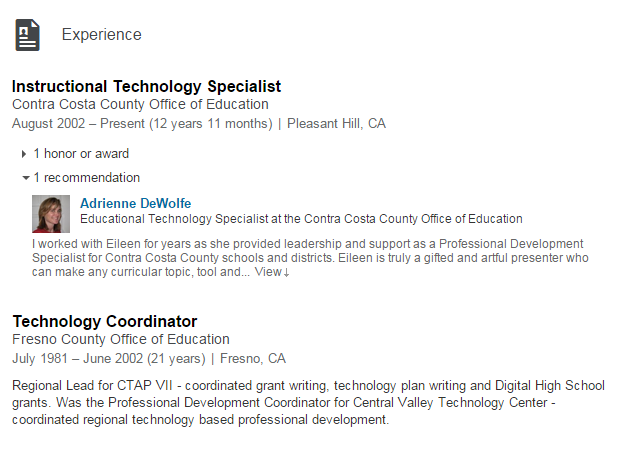
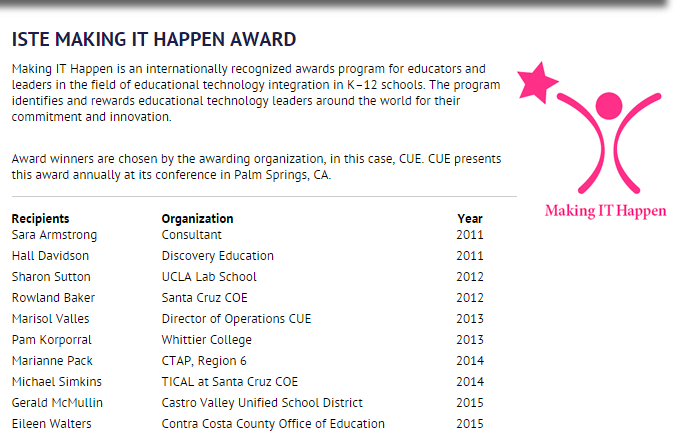
In June of 2015, my friend and one of my mentors bids farewell to a commitment to education like none other.  She is small in stature, and a hero at that size!  Eileen Walters is retiring from her role as the Instructional Technology Specialist at Contra Costa County Office of Education after 12 years.  She embodies all the characteristics that are the very best of every teacher: grit, curiosity, hope, and a dedication to professional growth.  She doesn’t get a lot of the spotlight. She is behind the scenes often, making magic happen supporting others.

On the topic of support, Eileen did this for me.  In 2003, I was a new Administrator in my Educational Technology Coordinator role.  She spent countless time getting me up to speed on initiatives, gaining my understanding of complex systems, and pushed me for excellence in my work.  She doesn’t like recognition, prefers to plug away.  I won’t let her go that easy.

Eileen stays with me setting the tone as I embark on projects, train teachers, and push limits.  Eileen reminds me to expect excellence in others, set guidelines, check their work.  From my time working closely with her for 9+ years on a regular basis, calling her every time I hit a crossroads, and bugging her often for support; I am a better professional. Thank You now, often, and always.

Here’s Eileen’s professional background:

LinkedIn profile
Her newest project- (She has had many too) is the Leading Edge Certification for the Professional Learning Leader is being developed under the leadership of the Certification Chair, Eileen C. Walters.

Leading Edge

This tells me we can work together again.  For this, I am very grateful.

Backseat Driver: Changes far from the classroom

Can changes made far from the classroom in a district impact the classroom? Can a student feel the difference when you make changes to operations that only impact the adults in the room?

I hope so and believe so. As a school administrator, I believe the work we do at the district level does impact students.

How? If we can make the day-to-day life of teachers and staff more manageable by improving their more mundane tasks (e.g payroll reporting, attendance-taking) it will be one less stressor for them. My hope is that relieving teachers and staff of these kinds of concerns will improve their everyday experience. Happier teachers=happier students. I will argue if all staff supporting teachers approach their work this way, kids win. Small incremental change can be as powerful as large-scale overhaul efforts.

PBL: Then and Now

IMG_0416Back in the late 1990s, I had the opportunity to serve as an associate director at a brand new multimedia college in Emeryville, California. I was hired before the building was finished and was given the task of creating a program that would be delivered in three parts to college students: Living in a Media World 1, 2 and 3. Parts one and two focused on the (relatively) new concept of the World Wide Web. I had to hire a staff, set up a Mac lab, and write a curriculum and lesson plans that would be delivered over the course of the first two months to a cohort.

I was a recent graduate of a Master’s program, and in that program we completed many projects as a cohort. My own experience became a model for the program I designed and delivered for two years to a minimum of six cohorts with a team of four staff.

The first courses were embedded with website design projects. With college students, projects are an efficient way to show skills and mastery of concepts in a multimedia environment. Assessments and essays are not as appropriate for that population. Fast-forward to 2015 and the new hot topic is called Project-Based Learning.

When I have conversations with teachers who have taught more than 10 years, their teaching back in the 1970s-1980’s was very much like my teaching at the college level in the late 1990’s – looking back, both would be considered Project Based Learning. So here’s the bad news: PBL is not new, but the good news is that many of us have done it and it works.

Want to learn more? This Project Based Learning page from Edutopia is a great resource – with an overview, research, and more.