A new kind of Professional Development for TOSA’s (a.k.a: Coaches) Series: Part 2

Dublin Unified has 10 Full time release academic coaches that are specialists in subject areas. We also have a fair number of edtech coaches that are full-time teachers paid a stipend to support teachers at their sites with technology integration.
The needs of these two groups vary. academic coaches are expected to be both subject matter experts and savvy with technology so that any lesson can be infused with some form of integration. Building the capacity of edtech coaches and academic coaches can be met with the same approach: ask them what they need and support them with ongoing targeted professional development.  Professionals that are asked to do something beyond educate children, moving into the area of educating adults, are not often given the tools necessary to be successful in schools. There is an assumption that great teachers make great coaches. I have not always found that to be true.

At the beginning of the 2015-2016 school year, I surveyed all coaches around their individual professional development needs. There were very different needs. Academic coaches wanted to learn iPads for modelling instruction and video for filming & sharing with teachers. The edtech coaches wanted to learn about Google Classroom, tips and tricks with browser functionality, and best practices for their own toolkits.  So began a year long series of professional development delivered sometimes in person and sometimes via Google Hangouts. The monthly focused meetings that occurred with both groups often included a professional development component with homework and sharing with one another what they had discovered and learned and how they would infuse it into their own practice.

Now at the end of the 2015-2016 school year during final meeting with both groups, I asked they reflect on their year’s worth of focused meetings with a professional development element. The discoveries that were made and shared with one another drove much of what we will attempt to achieve as a group in 2016-2017.

Most of the coaches shared that they had grown significantly with technology integration in their own daily work, as well as the professional development that they deliver to teachers at school sites. Google Classroom was a big win for our school district the school year as was the full integration of Google Drive and Google Apps for Education to meet the needs of our student body. We focused a lot this year on the use of Google Hangouts as a venue for meetings, staff development, and classroom instructional practice.

As we move into 2016-2017, I believe our coaches will be far better equipped to utilize the suite of tools at their fingertips in integrating technology more thoroughly in classrooms across all school sites. The focal point of our work in 2016-2017 will be furthering our exploration of Google Classroom related to instruction, the use of video for students and staff for their own learning, and blended learning models.

My goal as the CTO is to keep the rhythm of the work that has been outlined in the Learning & Technology Plan at the focal point of technology integration with teachers and staff. In 2014-2015, we kept our professional development goals related to technology integration to three tools: Google, blended learning, and online videos on demand.The same areas will be the focus of the 2016-2017 school year keeping it simple and keeping it consistent with options to dive deep into only a few tools to further everybody’s exposure and comfort level.
A New Kind of Professional Development for EDU Information Technology Staff Series: Part 1

As the landscape for teachers, coaches, and administrators change in education with a formal push towards common core and 21st century classrooms, there is a great opportunity to bring Information Technology staff along for the ride. Historically, Information Technology staff in schools did not have many opportunities for formal professional development. Organizations like CETPA were the only one of its kind delivering professional development occurring annually at their conference. Relying on the tech industry for professional development was often challenging because technology in schools is not the same as technology in private industry. Many IT shops in education have relied on internal professional development to meet the needs of a very curious hungry workforce. I personally know many IT professionals in schools who spend the bulk of their free time learning new tools that help them become more efficient in their work delivering seamless solutions to classrooms.

In January 2015 I took the position of Chief Technology Officer for Dublin Unified in Dublin California. It was a brand new position and part of the job description was defined by setting vision for the department in delivering services to staff and students. With a background in educational technology delivering professional development to teachers in other districts,  I jumped at the opportunity to innovate with a new team.

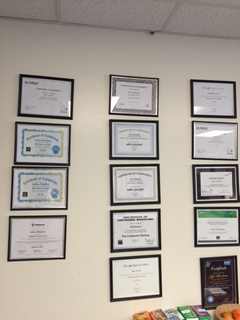
In my first month, I set two hour meetings with staff individually to create professIMG_2854ional development goals for the year. The conversation was introduced by encouraging department staff to dedicate two hours a week to a topic that would benefit them professionally in the workplace. Those goals would be achieved in a timeline with milestones and communication with leadership around needs. In two hours a week, many staff worked toward certification in key areas that benefited the team and the district overall. Those individual meetings also helped me understand what was needed for the whole team. This wall of certificaitons didn’t exist prior to the spring of 2015.
I then began outlining an effort to convert department meetings to professional development opportunities. In our weekly meeting occurring  weekly for an hour+, there is rarely a time when we cover nuts and bolts. Team based thinking, processing, and topics are introduced to support one another and the district overall. Examples of some of the department meeting topics are as follows:

Networking 101
WiFi deep dive
Running projects as a team
Identify site needs via a gallery walk
Good old-fashioned customer service

In May of 2015, site Computer Technicians went to the Friday Makerfaire event geared towards educators. This was the department introduction to the Maker model that we are now moving towards as a department to be equipped to support sites that are moving to 21st-century project-based learning. Fast forward one year and the whole department will be attending as a team. We are procuring a 3-D printer, MakeyMakey kits, Little Bit’s, Arduino’s, Rasberry Pi’s, Spheros,  & breadboards all as a result of this initial exposure. We are one step ahead of our school sites and will be prepared to provide support and teach alongside our teacher counterparts.

That is a first for our department! Another example of focused professional development occurred in December 2015. The whole team embarked upon a competitive hour of code Capturewith the only goal of being able to turn around and support sites that wanted to offer hour of code to the student body. To date, one Computer Technician in the department has teamed up with a teacher leading hour of code for Title I students in an afterschool format. We are only beginning to scratch the potential of becoming a service based organization that can add value to the classroom beyond hardware tech support.
Shifting the culture of the department has been met positively by the majority of team members. The spark has been lit in some staff that are veteran as an additional outcome. No longer are we considered the tech that can fix your computer, rather wear now seen as a value add to the organization. I’ll keep you posted as we move forward on this very exciting topic with classified staff in a K-12 public school district. #Speak IT 

Capture

BYOD by Design

Creating a school culture and a district perspective on BYOD requires a slow thoughtful approach with all stakeholders.  A year ago when I began my position as the 1st CTO of Dublin Unified, one of the first tasks as the first CTO of the school district was to review social media and acceptable use policy’s with the Board.  This may not seem like a critical first step as the first CTO for a school district, and in hindsight it was the right one. As I made revisions toall technology board policies and administrative regulations, I began thinking about where we needed to go on our journey with a 21st-century technology integration. 

Over a number of years, the district had rolled out a lot of technology in classrooms for teachers and was at the beginning of rolling out technology for students. 3400 chrome books had been deployed the year before. The need for procedures and policies was evident as the next natural step.  I knew I wanted to change the acceptable use policy to an opt in model. That eased paperwork and tension at the beginning of every year by auto opting in all students that would use technology on the first day of school.  I also have to admit I am a fan of BYOD models. I believe BYOD is far more financially sustainable, yet they are not as popular as one to one in schools currently.  


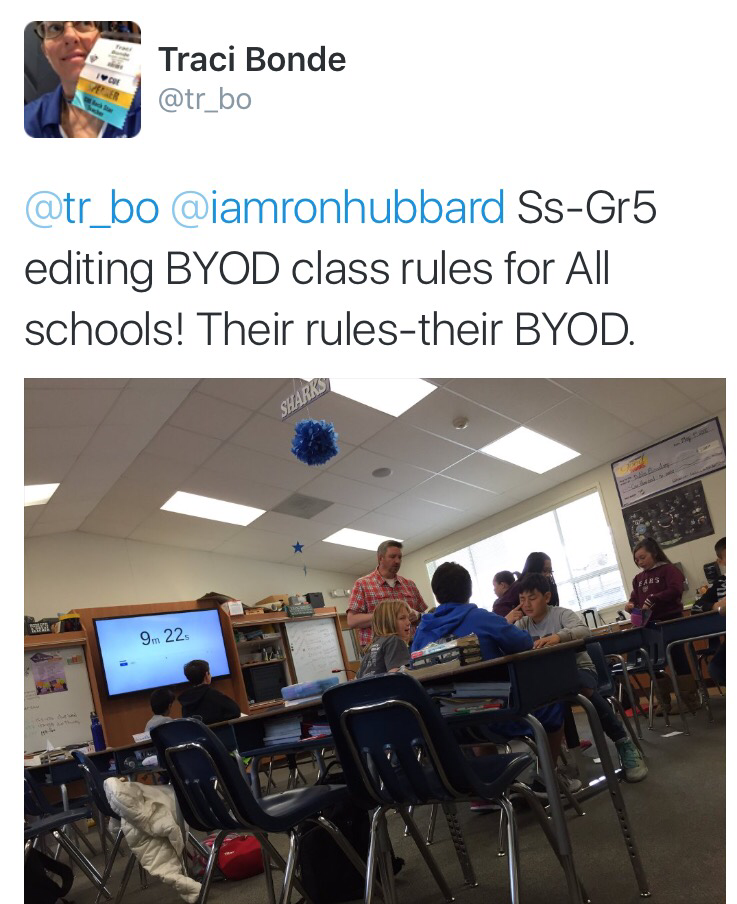
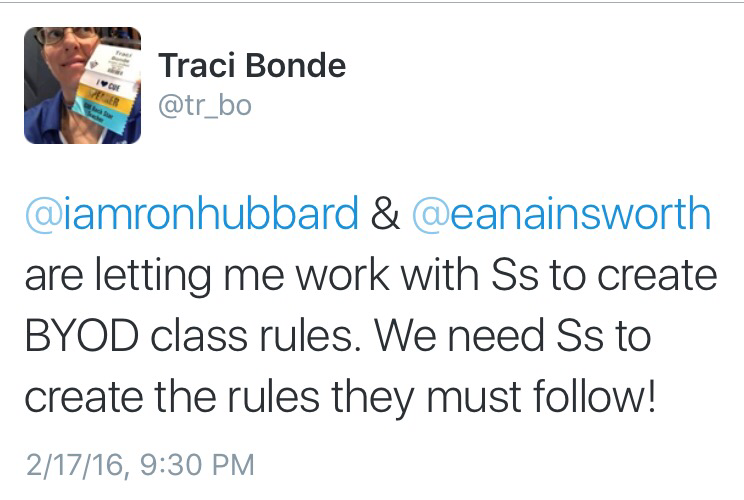
 This fall, I proposed a BYOD policy to the Superintendent and he was willing to entertain the idea. I began doing homework and discovered there were no BYOD board policies I could find in the State of California at any school district. When I began a search nationally, I came across very few formal board adopted BYOD policies in any school district.  I pulled the best of what I could find and began drafting the BYOD policy that went to our Board this winter. The initial request from the Board members was to involve student voice to ensure they had an opportunity to say what they wanted to see happen in the language. Work was also done at the Technology Advisory Committee level as well as with targeted classrooms in fifth and eighth grade.  

Once the acceptable use opt in policy and the new BYOD policy were board adopted, I began the work of compiling class rules that would be edited by the same student groups that contributed to the board policy.   


All of the work is now done with a board policy, a BYOD agreement, a BYOD FAQ, and BYOD classroom rules procedures.  All of the documents have been turned over to school principals and they have been tasked with taking to their leadership teams, their parents, their teachers, and their student body:

All documents can be found here: dublin.k12.ca.us/Page/9492

The value of having a BYOD policy and all items mentioned above assures parents, teachers, administrators, Board members, and the Superintendent that there is a legal framework to protect all parties.  Technology policies, agreements, & procedures are not sexy as other elements of tech integration. They are critical for school districts to be legally compliant and protected. I believe it also shows a level of commitment that speaks to the integration beyond the hardware.

A new kind of Professional Development for TOSA’s (a.k.a: Coaches) Series: Part 1

Dublin Unified has a fair amount of Academic Coaches. They are full time release teachers whose sole mission is to assist classroom teachers in fine tuning their art and science of teaching. There are also EdTech Coaches who receive a stipend to do the same effort on a smaller scale. These individuals have a full classroom that they have to teach and support daily. In addition they will troubleshoot and interact with teachers that want to integrate technology into their instruction.

Through a variety of discussions with Dr. Sarah Breed, the Director of Curriculum and Instruction for Dublin Unified, we agreed this group of teachers would benefit from some professional development targeted to support them in their effort to support others.

We agreed on a full day of release with a focal point on progressive PD models that we could model and intern expect that they deliver to their teachers in staff meetings, in one on one sessions, and grade level collaboration time. I was very fortunate to have creative discretion over the content for the day. See our theme!

I chose to build a model that was a blend of EdCamp, CUE Rockstar, and ISTE playground environments.  These approaches to professional development are a blend of ISTE (International Society for Technology Education) and CUE (Computer Using Educators). The professional development models deviate from the “stand and deliver” “sage on the stage” that teachers have been complaining about for generations.

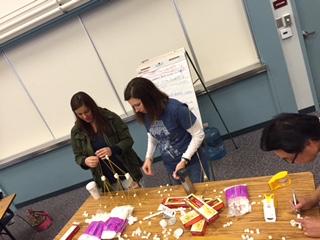
We began the morning with an hour long session introducing EDTech coaches to the maker model. The Technology Services Department staff were brought together and assigned stations and for one hour. EdTech Coaches floated between stations every 10 to 15 minutes to have an experience like none other.

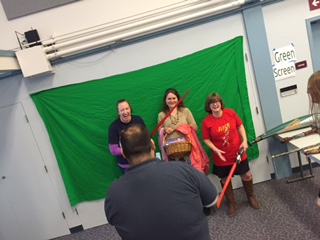
One station was the marshmallow challenge, simplified. IMG_1818Another station was the personalization station, a place were teachers were encouraged to decorate their laptops. The stickers I chose for the station focus on anti-bullying, superheroes, and positive role-models that the students will see on their teacher’s laptops in the classrooms. Another station was called the Tech Genius Bar, several of my staff assisted teachers with any support they needed with hardware and software on their work laptops and personal devices.  My personal favorite, was the green screen station with the DoInk. IMG_1817The EdTech Coaches used props and could shoot photos and/or videos with the green screen to show them how simple the tool was to use.
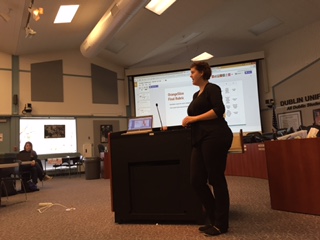


After that, teachers had choice between two sessions that ran one hour long. There was a district focus on certain applications only and included Google Classroom.  IMG_1827

During lunch, and APP Smash was offered and teachers gathered their favorite apps and extensions in one Google sheet and had two minutes to share and present their information to others. By having the APP Smash data gathered on a Google sheet, nothing was missed and an EdTech coach that was attempting to download an extension during that two minutes did not have to worry about also writing down the name of the next APP coming in line because it was a very fast-paced moving experience.

The final session of the day was delivered by two Super Power Coaches (KELLY HILTON  @KELLYIHILTON & SARAH LANDIS  @SARAHLANDIS from Pleasanton Unified School District on the topic of #hyperdocs. Sarah & Kelly were offered a opportunity to try out new material and take risks since they were not with their own district staff.

The value this brought to the afternoon session, I feel, was invaluable. It is a very rare occasion, where teachers are encouraged to take risks and when professional development is often delivered, due to the cost, there is generally a need for certain deliverables as an end result. I found the afternoon session that ran for one and a half hours was the most powerful time of the whole day. I plan on bringing Coaches from other districts in to train our Coaches as a model moving forward. We are still awaiting evaluation feedback from the session, I’ll keep you posted.

MinecraftEDU: Technically Speaking

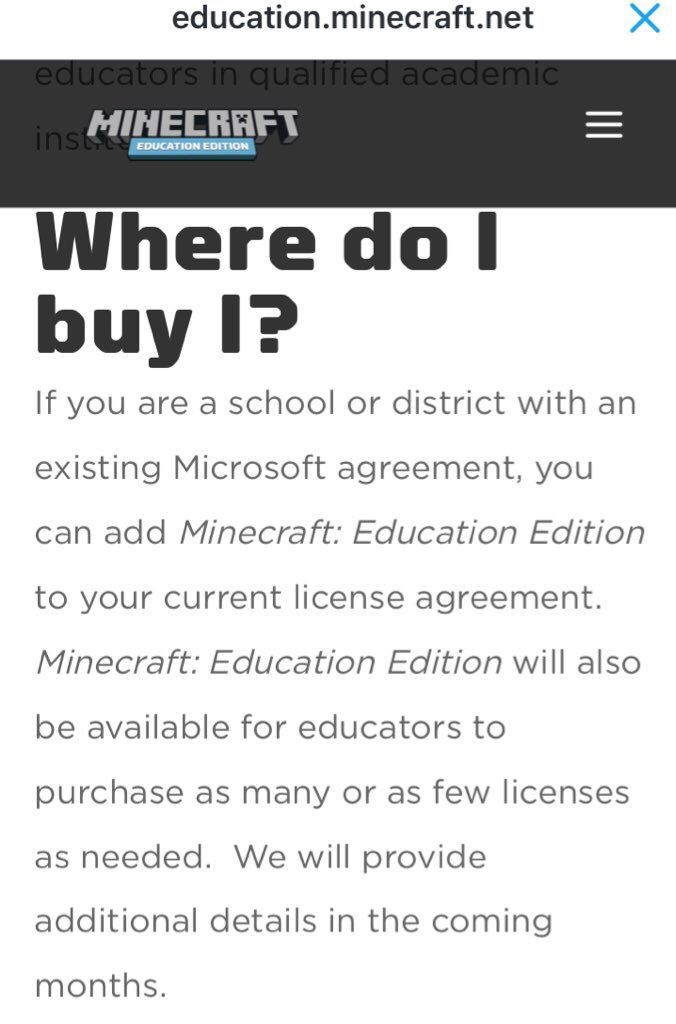
As you know, Microsoft acquired Minecraft and made the announcement in December of 2015. This past week, Microsoft announced the acquisition of MinecraftEDU. They have rebranded it and it is now called Minecraft Education Edition (MinecraftEE).  For many of us in education that have invested in MinecraftEDU it begs the question, what now?

During the annual bett http://www.bettshow.com/ conference in the UK, Microsoft had a large booth set up and opportunities for people to explore MinecraftEE due out this summer worldwide. Sessions were offered and mentors were available to assist teachers and administrators alike in previewing the new version.
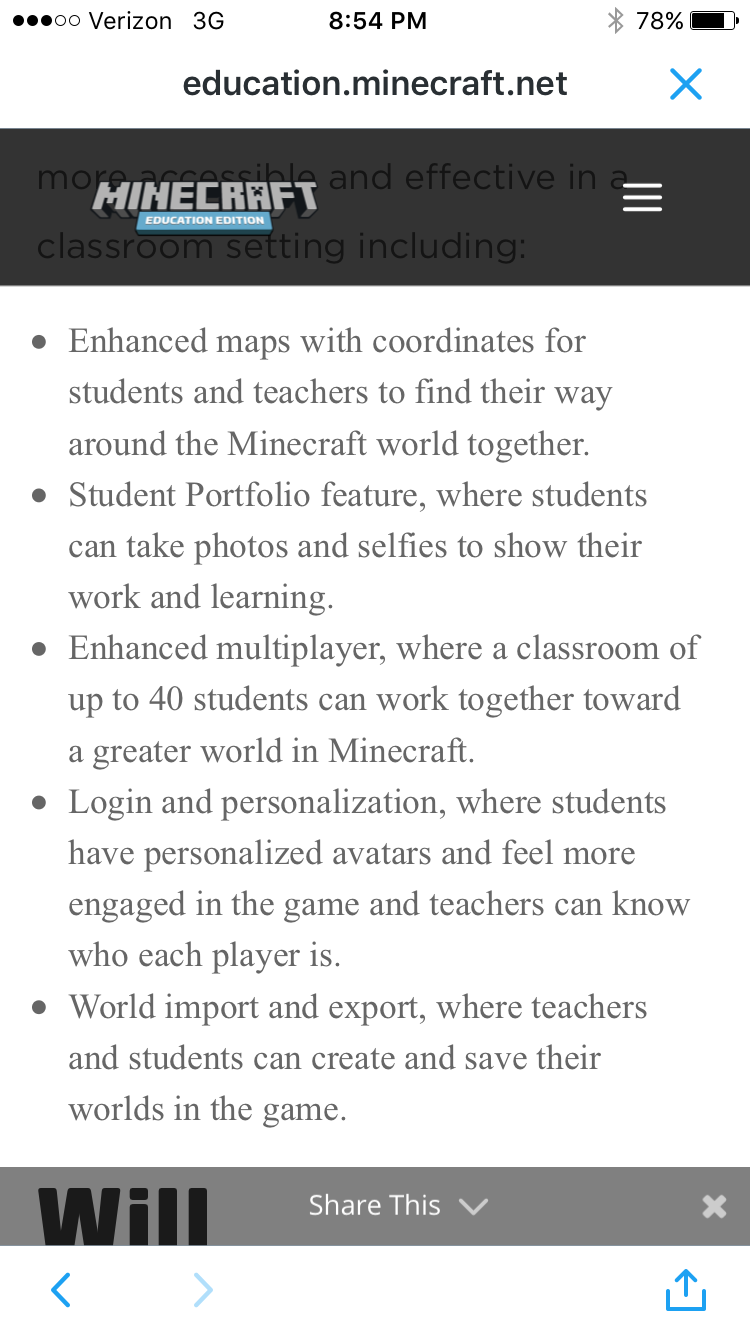
I followed the http://www.bettshow.com/ conference on Twitter and had an opportunity to ask a couple questions of key people at Microsoft. My first big question was what programming language is the new version of MinecraftEDU built on. MinecraftEE is built on C++. The current version of Minecraft and Minecraft EDU are both created in JAVA. What does this mean for education? C++ will be less of a beast to manage in IT departments. It still has yet to work on a Chromebook, but will work on tablets like the current PE (Pocket Edition) does.  With the new platform, there will be increased functionality and a new interface that will allow for personalization and student profiles.

Here’s the before and after for MinecraftEDU:

In the current version of MinecraftEDU, I can buy a license for $14. That license can be installed on the computer and have as many users as I would like to have rotate through that environment. The + for that is budget. The – is that students cannot save their local projects very easily  due to a lack of a unique signin.

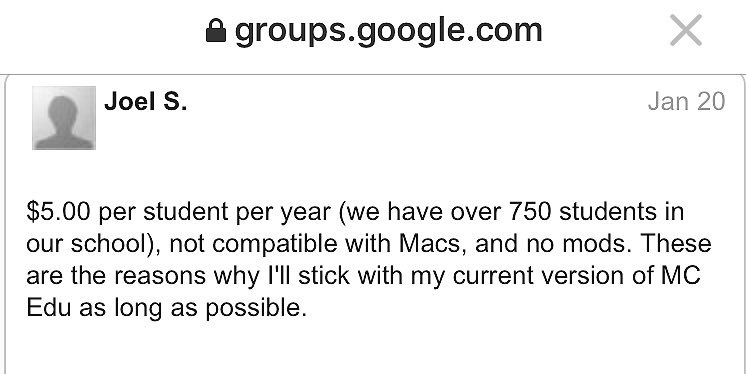
In the new version of MinecraftEDU, I will spend five dollars per student annually. This new pricing structure, will be difficult for many districts if they want a districtwide utilization of this new tool. Students will login with the unique identifier and be able to keep all of their work under that credential. It will be interesting to see if this tool will work in a pure web-based interface or if there will be a need for a client install. We will know more on this topic. In the coming months. 

In the current version of MinecraftEDU, users can create custom mods that essentially modify the game. That part of Minecraft & MinecraftEDU has had great appeal with users as it feels very much like an open source community based application.

In the new version of MinecraftEDU, mods are not currently available. We will have to see once the platform is released how much control users will have at the code level. Can they modify the code and reimport like they can now? Will there be as much sharing in the Minecraft community that we currently see where there is no limits to the users creativity?

Many programmers will tell you that C++ is a far more reliable platform then JAVA. From a programming perspective and a user experience perspective, this may be an advantage. We will no once we have a chance to experience the new version.


For classrooms, schools, and districts that are considering MinecraftEE need to weigh the pros and cons for the budget, the ease of use, and a comparison of the functionality prior to making a decision. In my district, I have essentially 100 licenses of the current version. Beginning this summer, Minecraft EE will be available to my district for free for one year.


 My strategy is to continue to use the current version (MinecraftEDU), and compare it to the new version (MinecraftEE) prior to making the budget decision to move all students to the more expensive version of MinecraftEDU. I feel confident within a year our students will tell us which platform they prefer. The Microsoft version of MinecraftEDU is going to be a more expensive deployment then the current version of MinecraftEDU. Budget will not be my main data factor, but it should be yours if you are brand new to the tool and considering the deployment in the next year. Check back for updates as the story unfolds. In the meantime, happy world building in Minecraft EDU.

A new kind of Professional Development for Admins Series: Part 2

In the world of technology integration and education the focal point is often teachers. The school leaders a.k.a. Site Administrators are generally overlooked although they often lead all initiatives.  In Dublin Unified, there is a team of elementary leaders hungry for technology use that is meaningful in their daily work.  School Administrators rarely have time to hunt for resources that will make them more efficient.  In the spring of 2015, Holly Scroggins and myself began an initiative to create a monthly timeframe dedicated to technology integration use for Elementary Principals.  Once a month, our site leaders close their doors, turn on their computers or chromebooks, and join a Google Hangout with one another for one hour in an open forum. (Dublin is a GAFE district, if we used Office365, we’d do these meetings via Skype)GoogleLeaders300

There is no set agenda, and the time is meant to be used learning the ins and outs of Google Hangouts for meetings and the overall experience of using technology in a natural way in their own environment on their own hardware.  My observations during this time are as follows:

At the beginning of every Google Hangout, at least two of the Administrators are struggling with their cameras and/or their audio. I will watch them call one another and troubleshoot through the challenges. And yes, you may be asking, why is the Chief Technology Officer only observing?  My style in leading professional development is to often stand back and let it play out. I am not the only expert in the room and by their ability to support one another, I often learn new things too.

The topics we discuss are not as critical as the time spent troubleshooting and exploring the computer for their needs as Instructional Leaders.

Yes, we often deal with some nuts and bolts while we are laughing and having fun with one another which is an invaluable professional development opportunity in and of itself.  We have successfully participated in roughly 5 Google Hangouts as a team since the spring.  Dublin’s elementary school Principals now know how to create a Google Hangout open a Google Hangout, troubleshoot through a Google Hangout and deal with logistics during a mobile meeting that occurs for a set timeframe.

At our last Google Hangout that occurred this past week, I encouraged every one of them to set a Google Hangout with one of their classrooms as a way to model the use of Google Hangouts with their teachers and their student body. I encouraged them to use some of the silly extensions that will show that they too have a very playful side.

I’ll report back on what we discover after we do our next Google Hangout, scheduled for February 2016. Here are some resources that you can pass along to your district leadership:

Google Apps for School Administrators

How Educators and Schools Can Make the Most of Google Hangouts

How Google Hangouts can enhance school communication


A new kind of Professional Development for Admins Series: Part 1

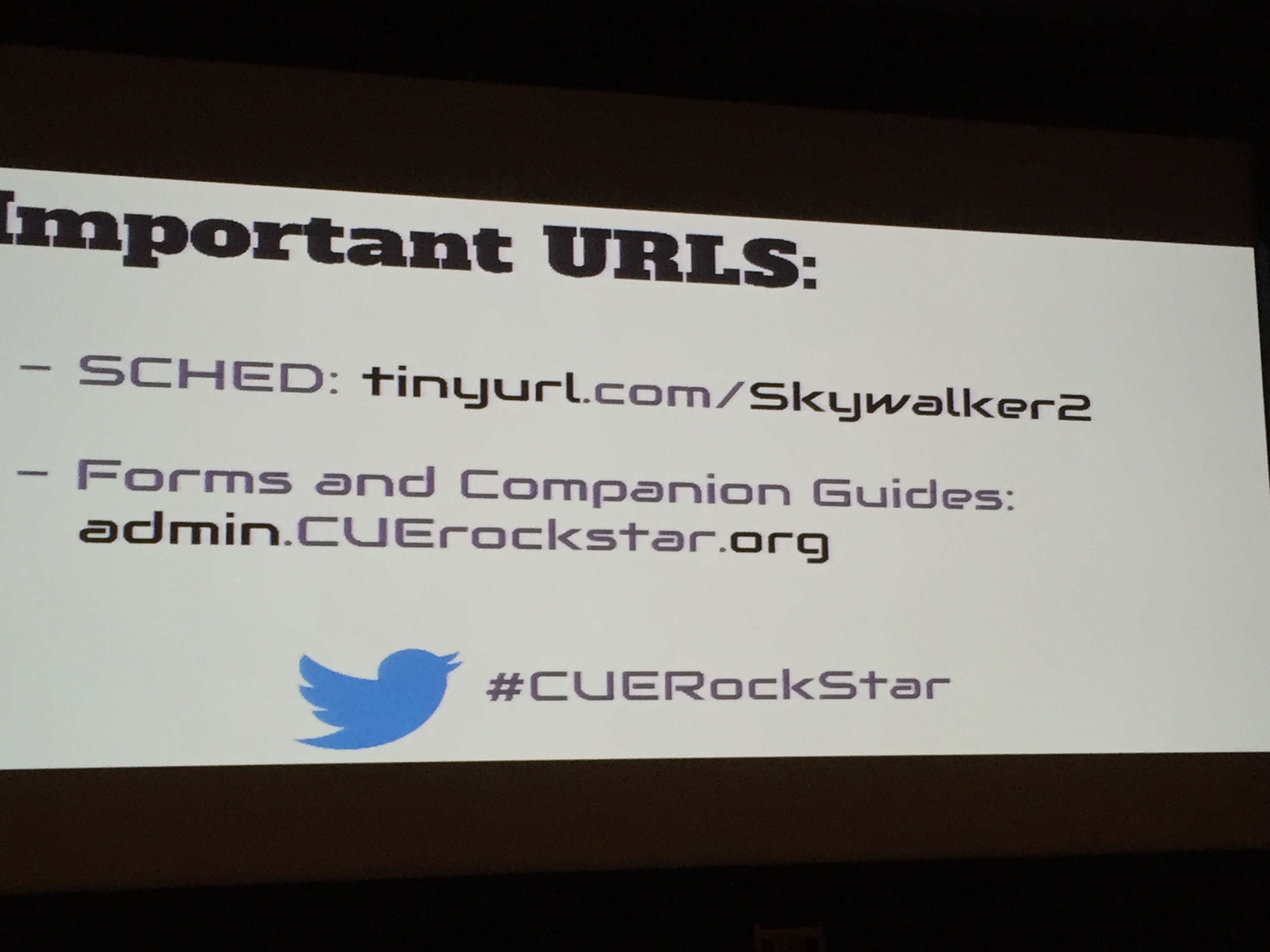
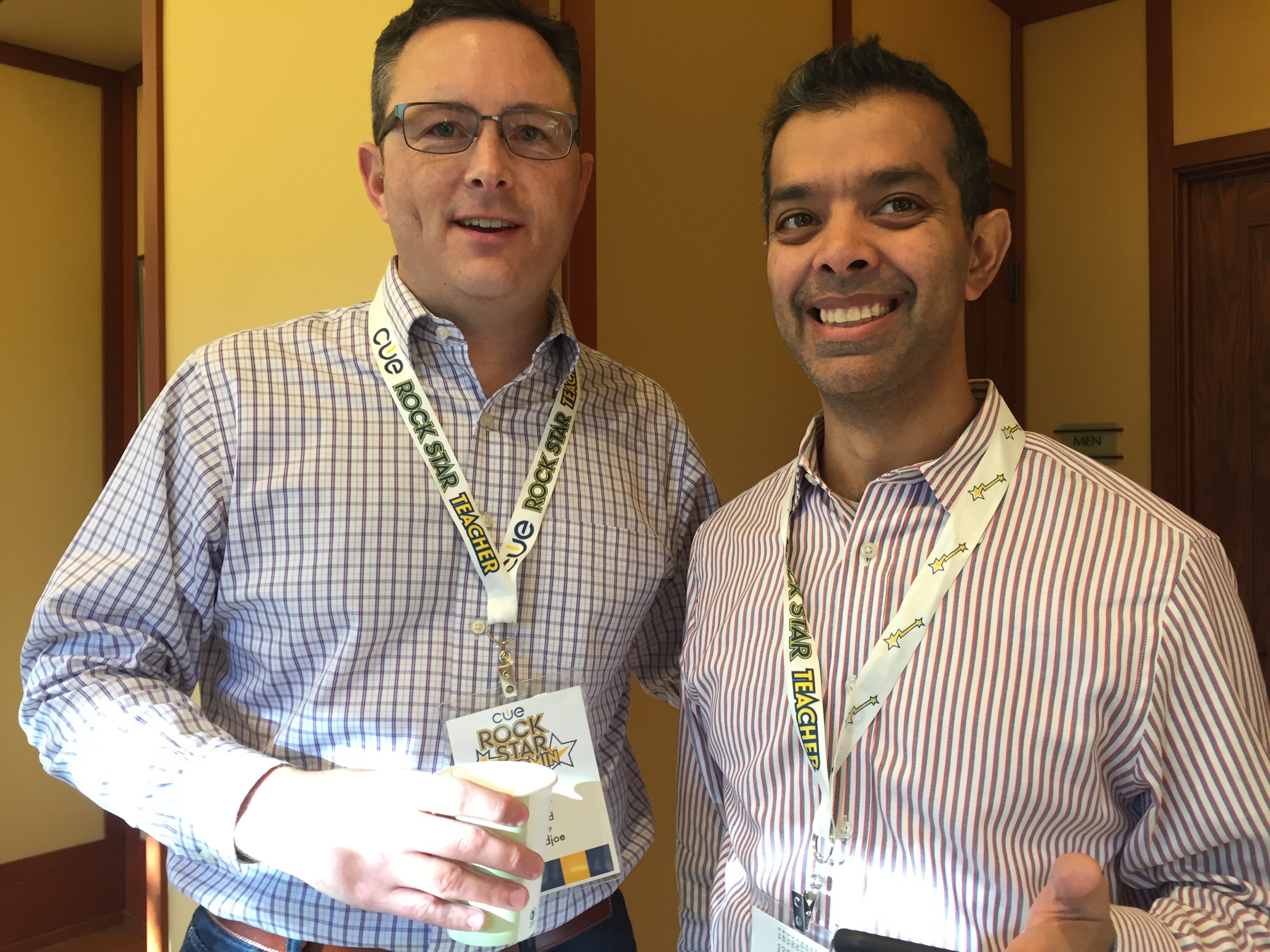
During the week prior to Thanksgiving break, I participated as a member of the Lead Learner Faculty team for a @cuerockstar admin at Skywalker Ranch in Northern California. Now I will stop right there and state that that in and of itself is all I have to write about. The End.

Oh but wait, there’s more.

Here is the CUE Inc. blog post that will give you a sense of what it meant to attend this very specialized camp or remind you of key items that you may have missed:  http://blog.cue.org/

I want to focus on the “now what”. So often, we attend fabulous conferences and professional development opportunities that can be so deeply moving that we know as we are walking out the door that nothing will ever be the same again. And this begs the question: what do we do with everything we now know in our efforts to make a difference?

I have a philosophy that is a common thread throughout much of my life and it is this: keep it small and start basic.  So what does that mean for each of us as we walk away from this very special exposure to another way of being and make an impact?

I have found the most effective way to instill real change is to be a “strategic termite. ”


The most effective change is curated over time, thoughtfully and in many small ways. It’s not a big change, it’s not always recognized by any of its parts, and time and time again in the most successful leadership books, this is key to the success of effective change.


Case in point: when you attend a @cuerockstar camp, the ratios are the most ideal for your learning experience. There is a heavy emphasis on networking. A key takeaway for many of you from your @cuerockstar camp journeys is to continue the conversation going with that same group of people who struggled and stretched over three days in some remote location in the Northern California hills.  Starting with daily small changes: a mention, floating an idea, reaching out to any of us for specifics can all be examples worth experimenting with for you in your culture. If you begin thinking “I need bigger”, try letting it marinate a bit longer, add another small change.
 Give this a try, and let me know how it goes. 

M&M: Makers and MinecraftEDU at Murray Elementary

I began the new position of Chief Technology Officer in Dublin Unified in January 2015. In every new position, I go and meet school Principals, introduce myself, and hope that we can have a meaningful conversation about how I can support them with technology.  During one of these routine visits, and idea it was born. Murray Elementary School in Dublin Unified, is the one of seven elementary schools. While sitting down with the Principal, and sharing my experiences of how technology can best serve classrooms, I mentioned the Maker movement.  The Maker movement was a new concept to the Principal, but there was a correlation made to the Steam Carnival event that occurs in San Francisco annually. In this conversation, we began planning what would be the implementation of the Murray Maker model beginning in the fall of 2015.

After a series of meetings, reading and assigning the book, Worlds of Making: Best Practices for Establishing a Makerspace
for Your School
by Laura Fleming, and doing a presentation with the Murray teaching staff, we agreed on downloadNovember 6 as our launch date for a formal family event that would introduce the Maker concept and MinecraftEDU in the Windows lab.

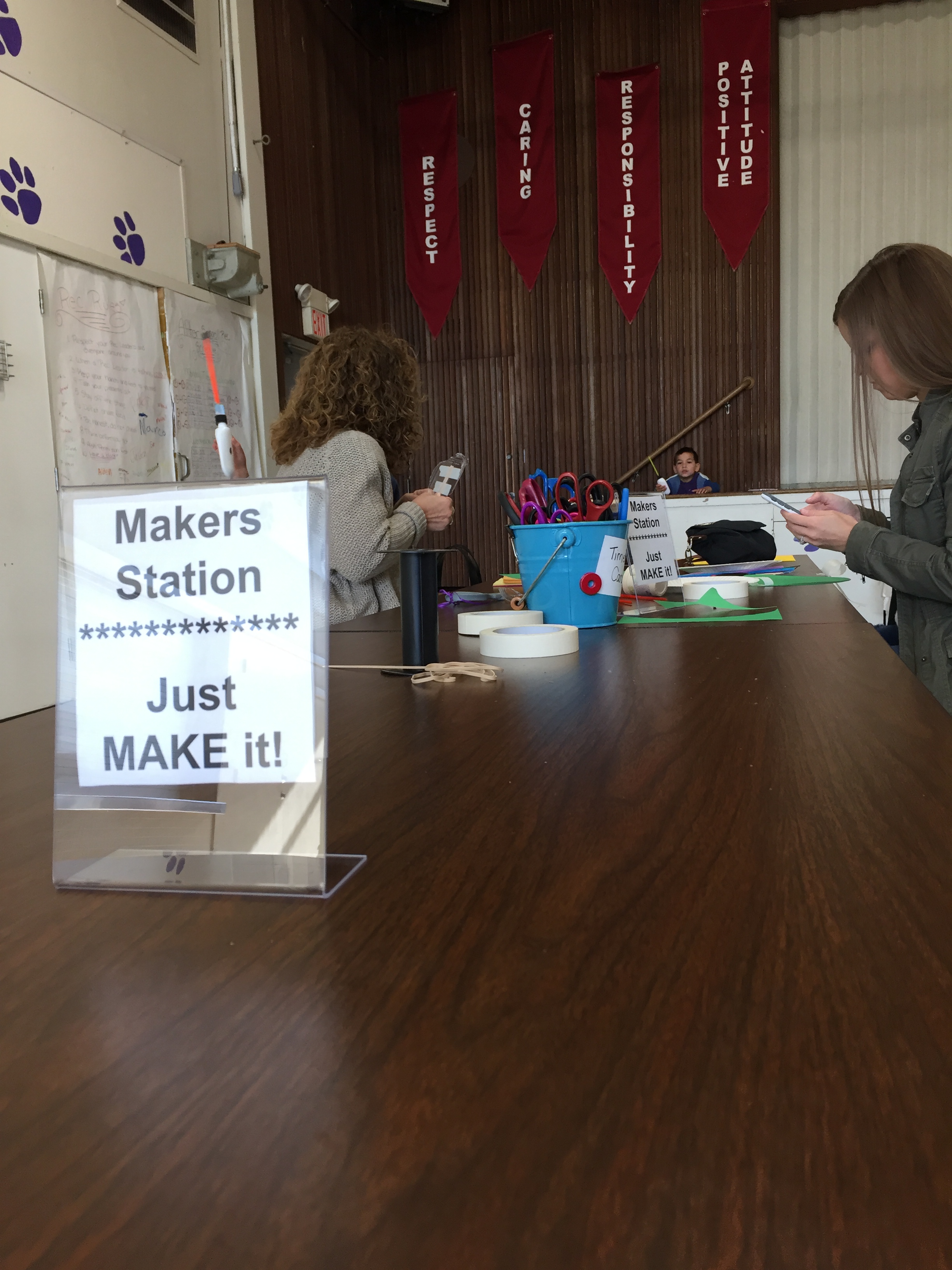
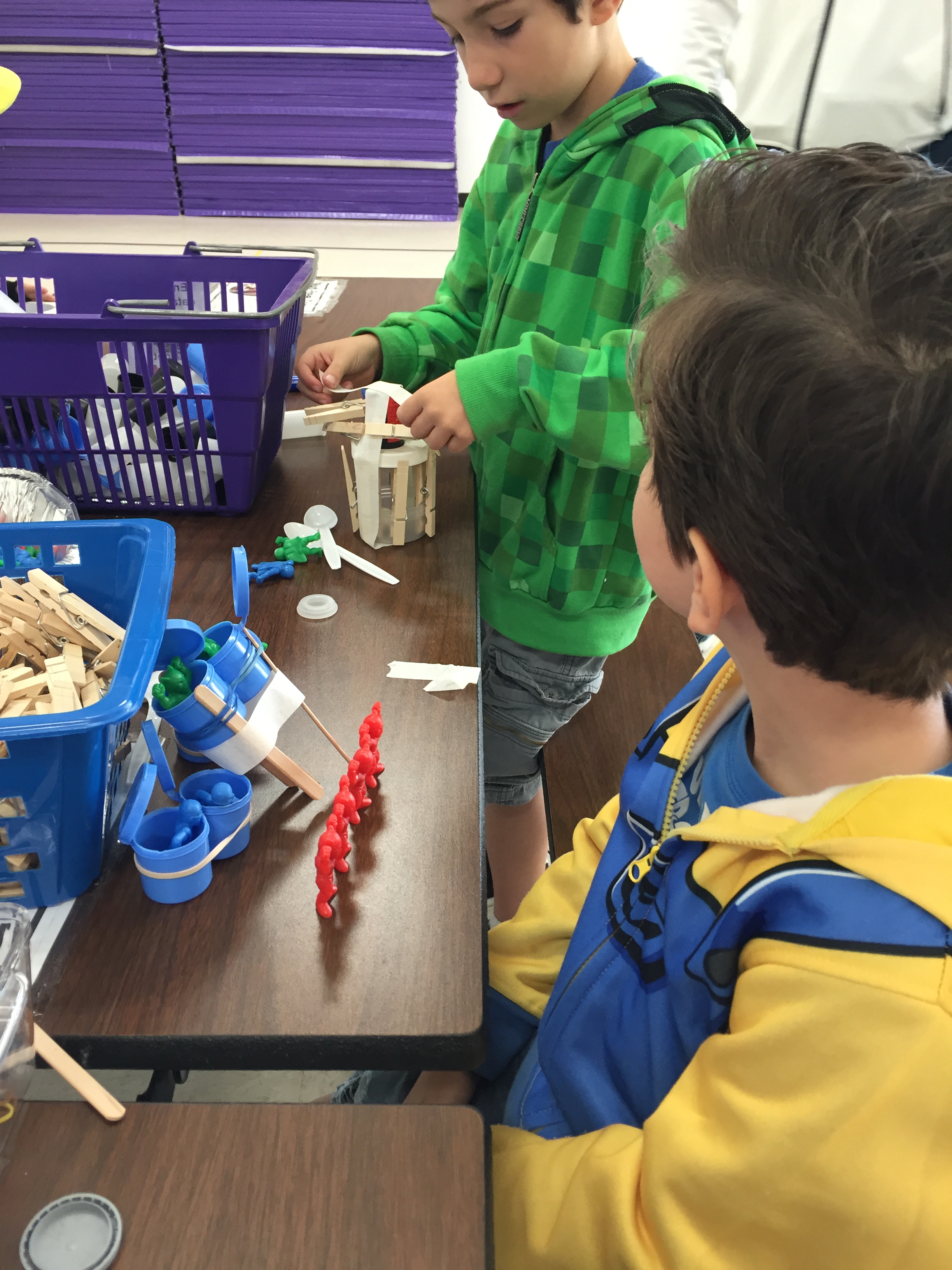
We loaded the MinecraftEDU client in the lab and Custer Rodriguez, one of my staff,  set up the MinecraftEDU server in our network and we were ready to run. Four tables of maker projects were planned, set up, and managed by Denise Fischer a veteran fourth-grade teacher at Murray Elementary.

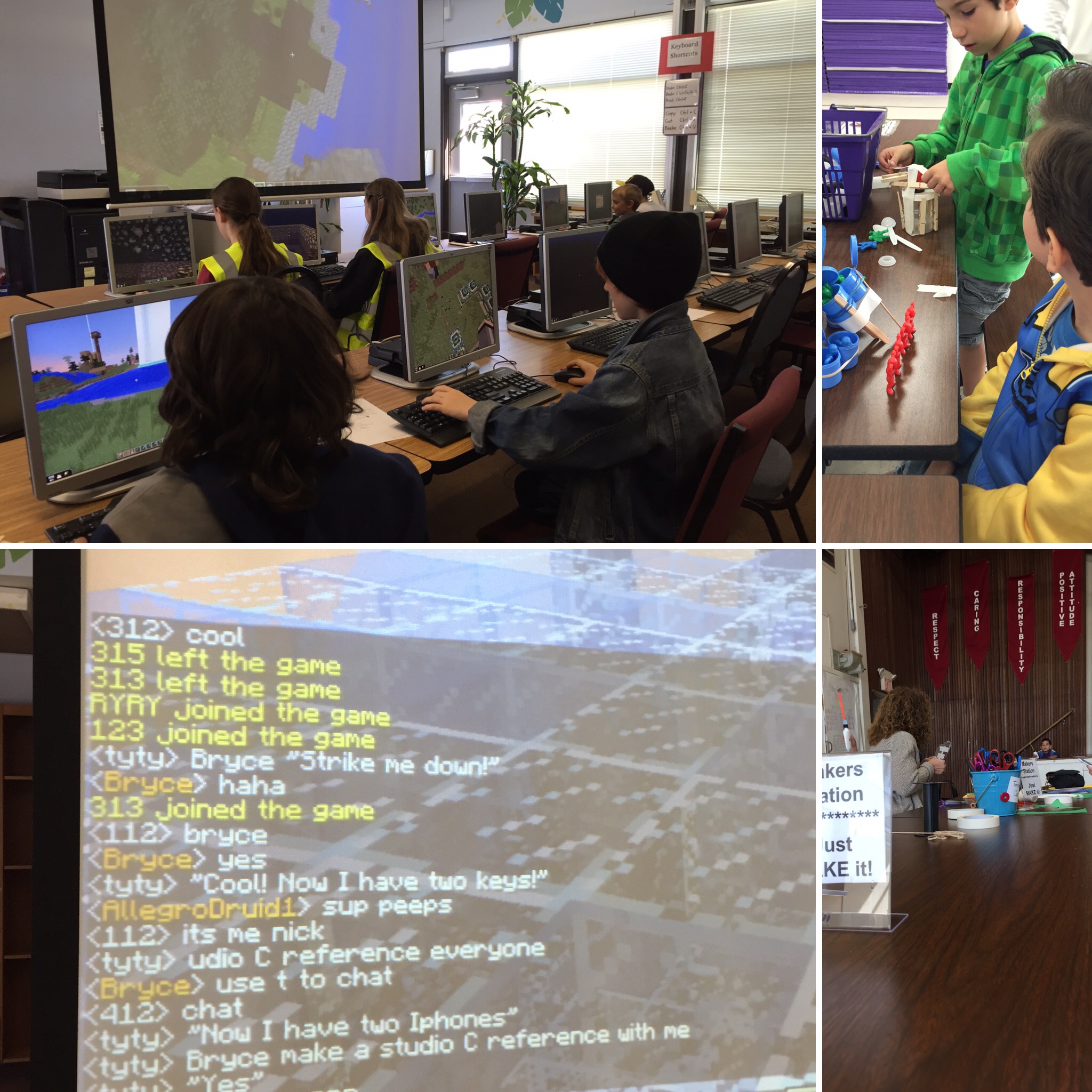
Here’s my formula for a successful implementation of MinecraftEDU: begin by empowering the students to run MinecraftEDU server and manage other students in the lab. We chose fifth graders as the model that would work best for the elementary school. At 9:30 AM, the doors were opened and within 20 minutes the lab was at capacity (36 computers total) with MinecraftEDU loaded all but three kids on the server and the build challenge had begun.

IMG_1094We chose an environmental peaceful mode world set to creative, not survival and had parameters about what could and could not occur in the build. The intention was to build a community in the village and add value to the community. The noise level rose as the morning wore on and the chatter with the students was pure music. Many dads showed up to observe, assist, and play alongside their kids. It was quite an execution. I did tech-support, while my 10-year-old son lead the lab through a build in creative mode. S. Nelson, a six grade student at Wells middle school, also assisted as a server master. They assisted many small children in the primary grades learn the game rules, navigate through the world, and answer key questions about functionality.

We had 50 students, 30 families, and many dads roll through the MinecraftEDU lab and the Maker station projects.

IMG_1214 IMG_1215 IMG_1216 IMG_1217 IMG_1219

Part two of the rollout occurred Monday at 11:50 AM when we opened the lab up to all students in third through fifth grade. The announcement was made by the Principal and three minutes into the lunch hour the lab was packed. Students went into the environmental world, and continued to build or add new structures to the village. Again the noise level rose throughout the lunch. Students became very interested in what they building and working with firends.

Beginning next week (November 16), the lab will be open during lunch, three days a week for third through fifth grade students only. The lab will be run by a rotating group of 4 fifth grade students who have been entrusted with the teacher password and will serve as the server masters.IMG_1227

In January, 2016, we will offer professional development to all teachers at Murray Elementary to begin the formal roll-out of MinecraftEDU to be utilized in classrooms across all grades spans. Stay tuned for my next update as we continue on our MinecraftEDU journey. & folllow us at #makerMES @cn_edd @tr_bo

A new kind of Professional Development Series for Teachers- Part 5

Coming back around from TOSA’s in Part 4, now we open it up to teachers, coaches, and administrators. Edcamps are the hot new thing.  Now I generally do not buy into what is trendy in EDU.  There have been many hot new things in EDU that go away after 1-2 school years to become yet another thing that didn’t GO. To appreciate #edcamptrivalley, that occurred on October 10, 2015, we have to go back to January 2015.  I had just begun my new role in the new position in Dublin Unified. In a series of introductory meetings came across this character and we were instant friends. She had heard of the “unconference” and wanted to try one at Fallon Middle School.  That’s all it took.  Fast forward to October 10 #edcamptrivalley.  I am not going to outline all the steps and outcomes, rather highlight others who did it all for me:

Capture

Check these out:

Edcamp Trivalley 10/10/2015 (with images, tweets) · craigyen · Storify

Resource Roundup! Five Key Takeaways From #EdCampTriValley

Dublin Teachers and Students Are Lifelong Learners : #edcamptrivalley

A new kind of Professional Development Series for Teachers- Part 4

Continuing my series of the new kind of Professional Development Series for Teachers, this post will highlight the Academic Coaches (TOSA’s) that are our unsung heroes.

These professionals are pulled out of the classroom, generally in a full-time capacity, and offered an opportunity to coach classroom teachers in their pedagogy and delivery of classroom instruction. Quite often, these professionals do not receive dedicated professional development. In our modern education environment, & it has become critical for all educators to embrace and use technology almost on a daily basis.Capture

Yet, TOSA’s often receive no exposure and/or dedicated professional development on the topic of technology integration. Once Dublin got through the big professional development and the classrooms were loaded with students and stuff, it was time to focus my attention on the Academic Coaches. In a partnership with the Director of Curriculum and Instruction, Dr. Sarah Breed, we out outlined a very aggressive professional development plan for the Academic Coaches and Dublin Unified.

Weekly targeted professional development is being delivered to Academic Coaches on two basic topics: the full integration of Google Apps for Education and it’s a daily use with students and staff. And modern thinking on apps and extensions to ease efforts of classroom teachers and the ongoing needs of TOSA’s to be everywhere at once.

Our first session had a heavy focus on Google classroom as one of our delivery mechanisms for instruction in 2015-2016. I also introduced them to the broader community of TOSA’s via CUE Rockstar and targeted Twitter chats that met their needs in there very specialized positions for their PLN’s (personal learning networks).  This exposure proved to be much needed as some of the TOSA’s in our district have since begun to participate in weekly chats on Twitter fine-tuning their own skill sets.

Some of our coaches in their roles were brand-new to the district so we also focused on Hyper Docs” created by a Pleasanton Unified  team of high-profile Coaches: Lisa Highfill (@lhighfill), Kelly Hilton (@KellyiHilton) and Sarah Landis (@SarahLandis).

I shared that there had been a focus in spring collaboration meetings at the elementary level and secondary level utilizing hyper docs in daily instruction. That along with google classroom felt like it was more than enough as a kicking off place.

You will notice while viewing the slide deck: Coaches Deep Dive, that we also spent time on iPads as a delivery mechanism in coaching teachers in the classroom.  For coaches that travel around to multiple sites, lugging a large laptop is not always ideal. APPs were introduced by the Coaches in a very dynamic APP smash that allowed them to share with one another, tools they used on a daily basis that could help them as a team overall.

In the Google Classroom professional development course created (and mentioned in a prior series post) they have all been added as teachers. Some of the Academic Coaches have also created classrooms and invited other Academic Coaches to participate as students. This gives our Academic Coaches an invaluable lens of the Google classroom experience for both a classroom teacher/student.

Complimenting the technology, I provide them with readings from online sites that are the best of what is offered in research for technology integration. We are not spending time learning new models, nor are we spending time attempting to master said models. Rather my approach is to take the Coaches directly to the tools that will be used by themselves they can share with classroom teachers during collaboration time. I believe that is a more effective model to learning technology integration.

When meeting with grade level teams or departments: the Academic Coaches are charged with integrating some of these tools in their own delivery. Our next professional development topic will be video in the classroom. The Academic Coaches will learn one to two video recording tools that they in turn will make available to classroom teachers so that they can begin to use video with students.

If all goes well with my master plan for technology integration and TOSA’s, our district will be well prepared for full technology integration in every classroom in a meaningful way. Stay tuned for progress on my thinking through the school year.